

Background Remover
Remove image backgrounds automatically in seconds. Get a transparent PNG or pure white background with zero watermark and no sign-up.
Drop your image here
One JPG, PNG or WebP image, up to 50 MB
No photo handy? Try one of these:
See Backgrounds Removed from Example Photos
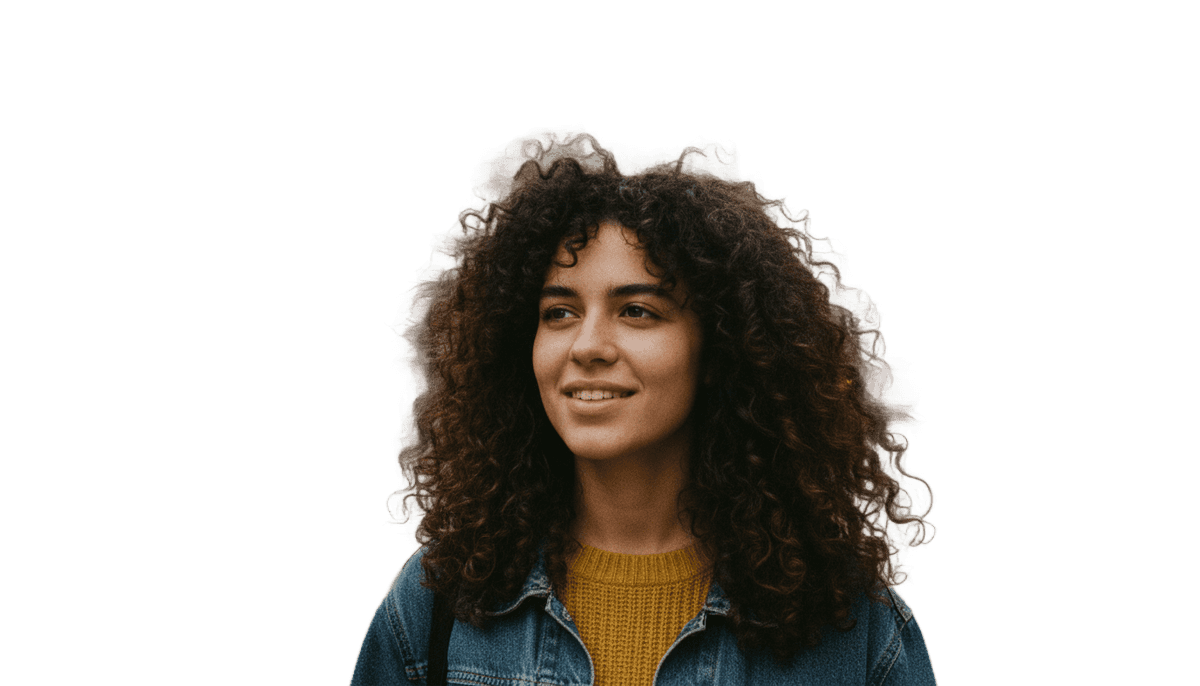
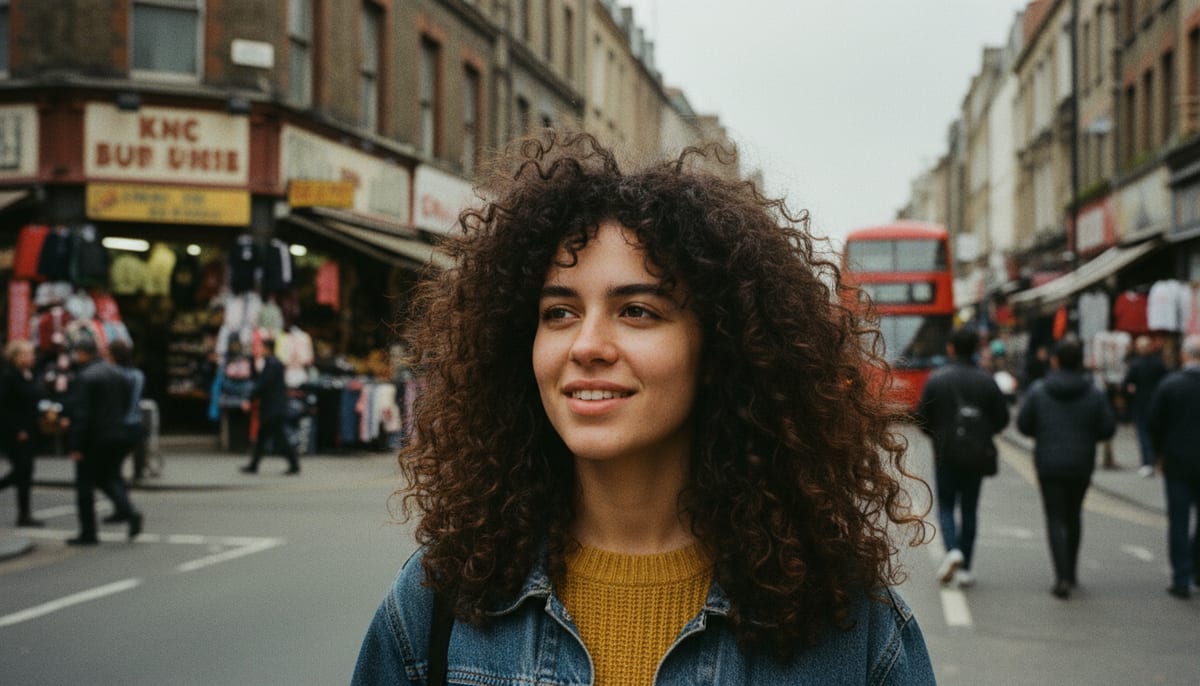
Drag the divider on each photo to compare it before and after. Curly hair, fur and shoelaces show how a cutout handles fine edges.
See another example:
How to Remove a Background from an Image
Add your photo.
Drop a JPG, PNG or WebP up to 50 MB on the box above, or click to choose one. The editor opens on its own.
Let the AI cut it out.
The cutout starts by itself with High Quality. The first run downloads the model, about 188 MB, so it takes longer than later photos in the same tab.
Check and download.
Drag the slider to compare, keep Transparent or pick a new background, then click Download. Transparent saves as name-no-bg.png.
- Accepts
- JPG, PNG, WebP to 50 MB
- Output
- Transparent PNG, JPG, WebP
- Largest result
- 1920 px long side
Photos are cut out at up to 1920 px on the long side. New colours, blur, format and size are all applied on your device without running the AI again.
What This Free Background Remover Does
Cut out the subject, keep it transparent or put it on a new background, then download the format and size you need.
Remove the Background from Any Photo
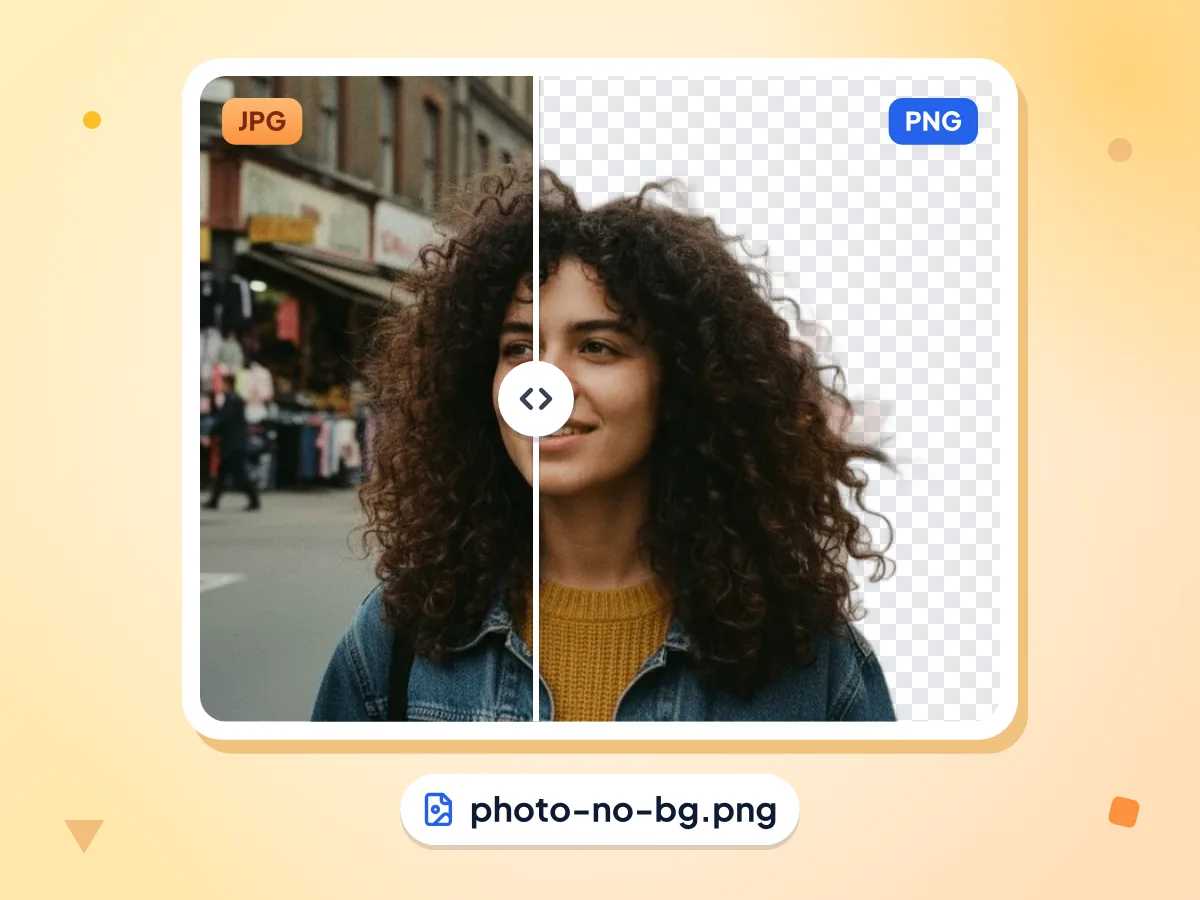
Drop a JPG, PNG or WebP and the AI cutout starts on its own. It finds the main subject, clears everything behind it and shows the result over a checkerboard as a transparent PNG.
- Cutout starts as soon as the photo opens
- Transparent PNG named photo-no-bg.png
- Before and after slider to check edges
Replace the Background After the Cutout
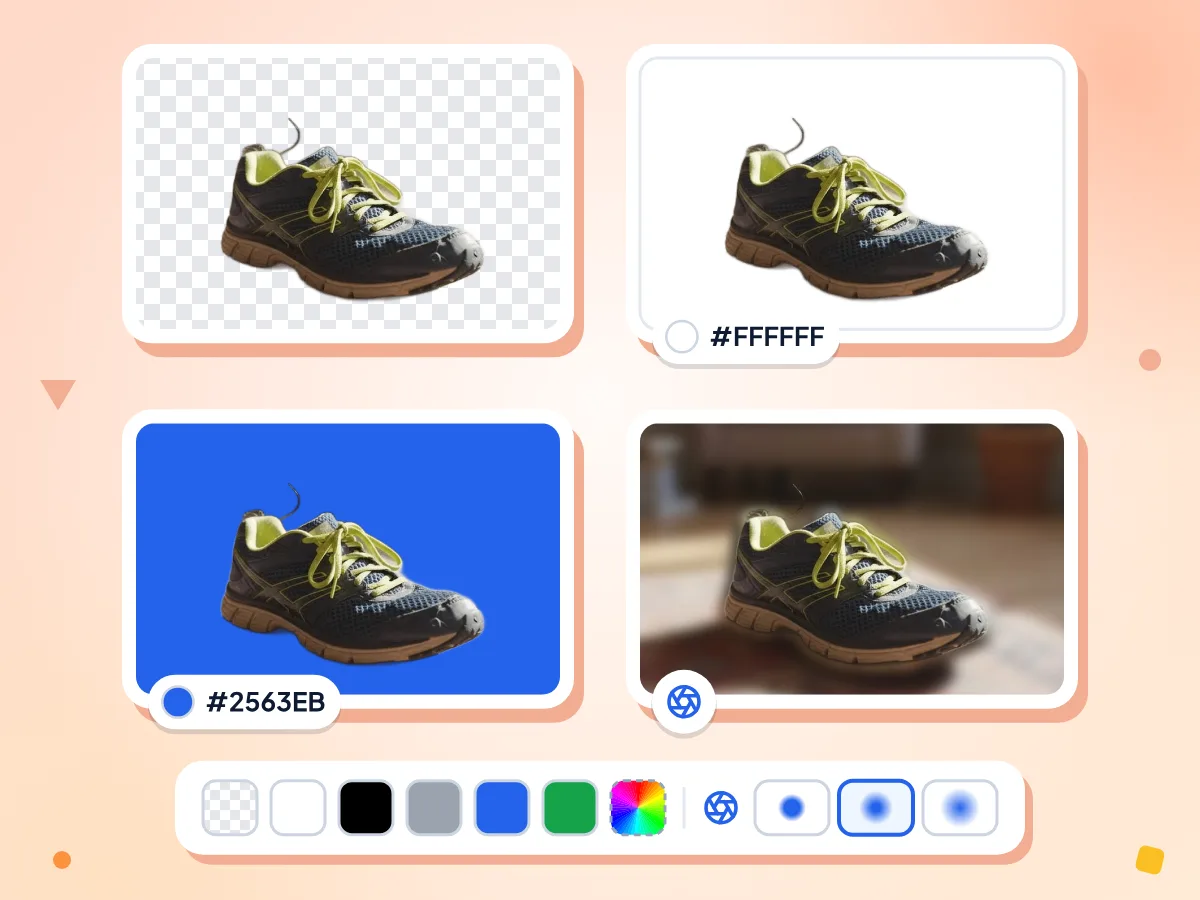
After the cutout, put the subject on white, black, grey, blue, green or any colour you pick, or blur the original scene behind it. The AI does not run again for any of these.
- Six swatches plus a custom colour picker
- Blur at Light, Medium or Strong
- Switching colours never re-runs the AI
Private by Default
The cutout runs on your own processor, and new backgrounds are painted on your device too. The page downloads the AI model and sends usage stats, never the photo itself.
Fast or High Quality Model
High Quality, the default, is labelled for hair and fine detail and downloads about 188 MB the first time. Fast is a smaller model of about 56 MB. Switch, then press Remove Background.
No Sign-Up, No Watermark
It needs no account and has no daily cap. Nothing is stamped on your image, and you can remove as many backgrounds as you like, one photo at a time.
Download PNG, JPG or WebP
PNG keeps the transparency with no quality loss. JPG and WebP save at 92% quality. Shrink the width to 1024 or 512 px for the web; results are at most 1920 px.
Who Uses the Background Remover
Sellers, creators and office workers who need a clean cutout without photo editing software.
Product Photos for Online Stores
Cut a product out of an everyday shot and give it a clean backdrop. For a pure white #FFFFFF listing photo, the White Background Maker opens with white already picked.
- Transparent PNGs for product pages and catalogs
- The same white, grey or black behind every product
- Width presets of 1024 or 512 px for listings
Designers and Content Creators
Isolate a person or object for thumbnails, posters and social posts. Keep the transparent PNG to layer in your design app, or blur the original scene for a portrait look.
- YouTube thumbnails and social media graphics
- Cutouts to layer in posters and banners
- Portrait-style blur without a new photo shoot
Signatures, Logos and Stickers
Lift a signature or logo off plain paper and save it as a transparent PNG for a document, slide or chat. In our test, dark ink on white paper came out clean.
- Signature PNG to place on contracts and forms
- Logo cutouts for slides and letterheads
- Transparent stickers for chats and profile pictures
Explore More Tools
Discover other free tools that work great alongside this one
Transparent Background Maker
Make an image background transparent and download a PNG
White Background Maker
Put a product or portrait on a clean white background
Black Background Maker
Put a photo or product on a solid black background
Grey Background Maker
Put a photo or product on a neutral grey background
Blue Background Maker
Put a photo on a solid blue background for ID and school photos
Green Background Maker
Put a photo on a solid green background for chroma keying
Blur Background
Blur the background behind your subject, like portrait mode
Image Compressor
Reduce file size without losing quality
Image Resizer
Resize images to exact dimensions
Image Converter
Convert between 30+ image formats
PNG Converter
Convert to and from PNG format
WebP Converter
Convert to and from WebP format
QR Code Generator
Make free QR codes in your colors
Frequently Asked Questions
Answers about cutouts, file types, quality and privacy in the free background remover.
How do I remove the background from an image for free?
Drop a JPG, PNG or WebP of up to 50 MB on this page. The editor opens and the cutout starts on its own with High Quality. Compare the result with the before and after slider, then click Download PNG for a transparent file with no watermark.
Is this background remover free, with no limit or watermark?
Yes. It needs no account and has no daily cap, and nothing is stamped on the image. The real limits are one photo at a time, 50 MB per file and results up to 1920 px. For many photos, use the Bulk Image Editor.
Can I remove a background in HD without losing quality?
Partly. PNG downloads are lossless, but photos over 1920 px on the long side are scaled to 1920 px first, so a 4000 px photo comes back smaller. The edge mask is worked out at 1024 x 1024 and stretched to fit, so very fine hair can look soft.
What is the difference between Fast and High Quality?
High Quality, the default, is the full model: about 188 MB on first use and labelled for hair and fine detail. Fast is a smaller version of about 56 MB. On a product shot both masks matched closely in our test. To switch, pick one and press Remove Background.
Why does the first cutout take so long?
Most of the wait is a one-time download. Before the first cutout, the page fetches the AI model: about 188 MB for High Quality or 56 MB for Fast. Later photos in the same tab reuse it, but a new visit may fetch it again. On a phone or slow connection, try Fast.
Which files can I upload, and what do I get back?
You can add one JPG, JPEG, PNG or WebP image of up to 50 MB. HEIC, GIF and AVIF are not accepted, so convert an iPhone photo to JPG first. You get a transparent PNG by default, or a JPG or WebP if you pick one. The file name ends in -no-bg for Transparent and -background for a new background.
Does the background remover work on videos?
No. This tool works on still images only, so video files are rejected. To cut out a person from a clip, save one frame as an image first, for example with the Video Thumbnail Extractor, then drop that frame here. Each frame is a separate cutout.
How do I remove the background from a signature?
Sign on plain white paper, take a sharp photo or scan in good light, and drop it here. Keep Transparent and download the PNG to place on documents. In our test with dark ink on paper, High Quality kept the strokes and cleared the paper. Check thin lines with the slider.
Can I change the background to a colour instead of removing it?
Yes. Once the cutout is done, pick white, black, grey, blue, green, any custom colour, or blur the original scene at three strengths. The saved cutout is repainted, so the AI does not run again. Colour and blur results download as JPG unless you choose PNG or WebP.
Why is there a grey outline around hair after the cutout?
Curly hair, fur and other fine edges mix with the old background, and the model can keep a thin fringe of it. In our test this showed most in curly hair against a busy street, on both Fast and High Quality. A plain backdrop, or a new colour close to the old one, makes it less visible.
Is my photo uploaded when I remove the background?
No. The cutout and any new background are made on your device, and the image itself is never sent. The page does download the AI model files and sends usage stats, such as the quality, format and size you choose.