

Convert Apple MOV to MP4 Free Online
Convert iPhone, Mac and QuickTime MOV videos to H.264 MP4 that most Windows PCs, Android phones and smart TVs can play, without installing QuickTime.
Drop your video files here
MOV
Max file size: 1 GB · Multiple files supported
How to Convert MOV to MP4:
Drag your MOV file into the converter or click to select it from your Mac, iPhone backup, or camera
Leave Bitrate and Frame rate on Auto, or pick a lower bitrate for a smaller file
Click Convert All and download your MP4 file
MOV vs MP4: What Changes
Understanding the differences between MOV and MP4 helps you choose the right format for your needs.
| Specification | MOV | MP4 |
|---|---|---|
| Compression | Variable | Lossy |
| Quality | Excellent | Good to Excellent |
| Transparency | No | No |
| Animation | Yes | Yes |
| File Size | Large | Small to Medium |
Why convert from MOV?
- Large file sizes
- Limited web compatibility
- Apple-centric format
Why choose MP4?
- Universal compatibility
- Excellent compression efficiency
- Supports multiple audio tracks
When to use MOV
When working with Apple devices or need highest quality video editing.
When to use MP4
When you need universal video compatibility and efficient streaming.
MOV to MP4 Conversion Features
Convert Apple QuickTime MOV to H.264 MP4 that plays without Apple software
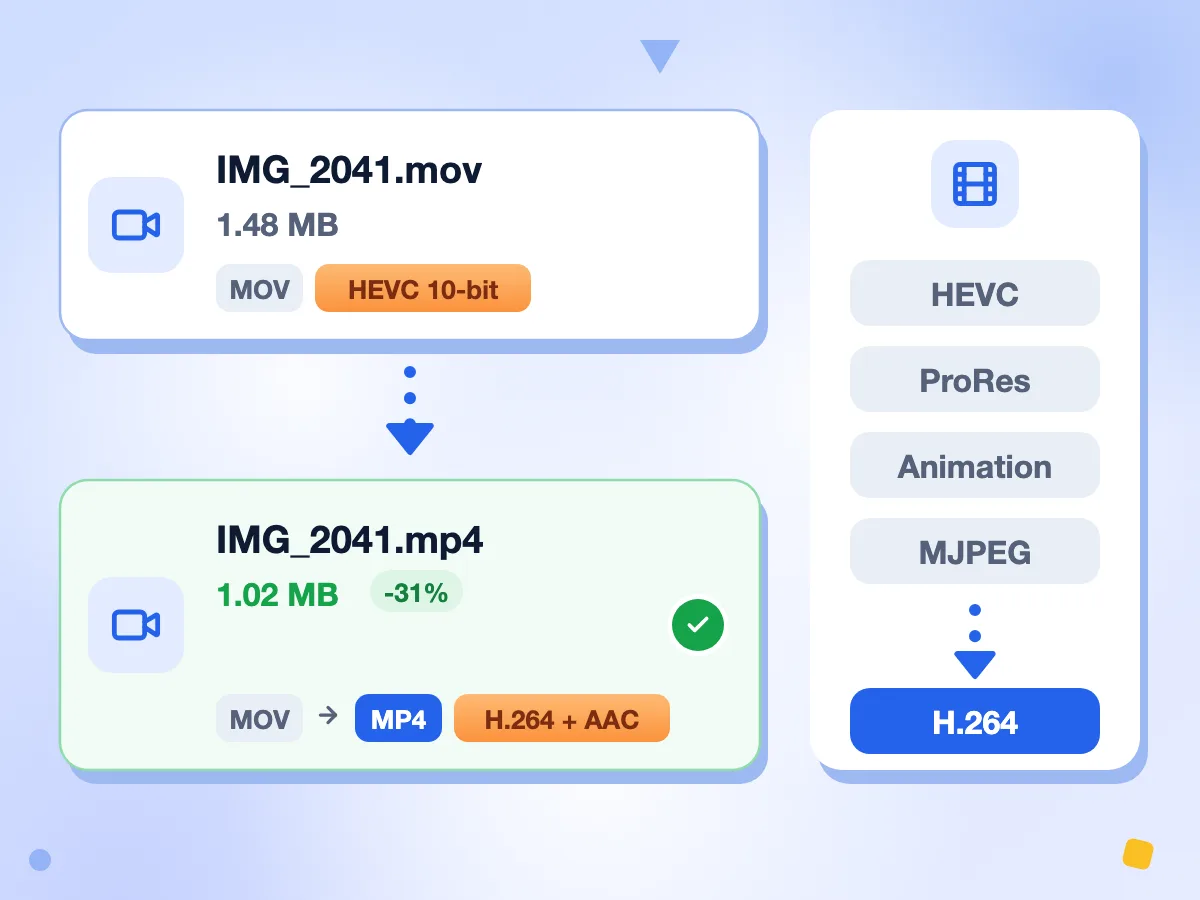
ProRes & HEVC Decoding
Reads MOV files with H.264, HEVC, ProRes, Animation or Motion JPEG video and re-encodes them to H.264 MP4 with AAC audio.
- Reads HEVC, including 10-bit
- Reads ProRes, Animation and Motion JPEG
- Saves 8-bit H.264 with AAC
In-Browser Processing
The conversion runs in your browser, one file at a time. Long or 4K videos can take several minutes, so try one clip first.
Cross-Platform Compatibility
The MP4 uses H.264 video and AAC audio, which Windows, Android, Linux, most smart TVs and video sites play without extra codecs.
MOV to MP4 Conversion FAQs
Key answers about converting Apple QuickTime MOV video to MP4
Why can't Windows play my MOV files?
Windows doesn't include QuickTime or the ProRes codec. Windows 10 and 11 play many H.264 MOV files, but HEVC MOV needs an extra codec and ProRes MOV won't play in the built-in apps. An H.264 MP4 plays there with no extra codecs.
What codec does an iPhone MOV use?
iPhones shoot video in the MOV container with HEVC (H.265) as the video codec on iPhone 7 and later. Older iPhones use H.264 in MOV. HEVC MOV has limited support on Windows and Android. Converting to H.264 MP4 lets it play on far more devices.
Will I lose video quality when converting MOV to MP4?
Some, yes. Every MOV is fully re-encoded to H.264. With Bitrate on Auto the tool uses a medium quality level (CRF 26), so fine detail can soften. For a sharper file, pick a higher bitrate in the settings, and keep your original MOV for editing.
Can I convert ProRes MOV to MP4?
Yes. ProRes 422 and ProRes 4444 MOV files convert to H.264 MP4. In a test, a 3-second 720p ProRes 422 clip went from 14.18 MB to 693.87 KB. ProRes 4444 transparency is lost, and each file must be 1 GB or less, a size ProRes files reach quickly.
My MOV file was recorded in 4K — will the MP4 also be 4K?
Yes. The MP4 keeps the MOV's resolution, so 4K stays 4K. There is no option to scale it down to 1080p or 720p. To make the file smaller, pick a lower bitrate in the settings.
Is my iPhone video safe to convert with this tool?
Yes. The conversion runs in your browser, so your video stays on your device and is never uploaded. You don't need an account.
Will my iPhone video stay upright?
Yes, a clip with a rotation tag should come out upright. In a test, a 1920x1080 MOV tagged 90 degrees became a 1080x1920 MP4 with the rotation applied to the picture. We tested a synthetic clip, not a real iPhone file, so check one video first.
Does it keep 4K and 60 fps?
Yes, both stay as they are. A 60 fps 720p test clip kept all 300 frames, and a 4K clip stayed 3840x2160. Big pictures take time: 2 seconds of 4K took 78 seconds in a test of the site's engine. Pick a frame rate from 24 to 60 fps in the settings to change it.
What happens to HDR or 10-bit iPhone video?
The MP4 is always 8-bit H.264. A 10-bit HEVC test file converted fine and came out 8-bit. The tool has no HDR step, and we have not tested a real HDR clip. Check one clip before you convert a whole batch.
How do I make the MP4 smaller than the MOV?
Lower the video bitrate in the settings. A 5-second 720p 8-bit HEVC MOV of 1.48 MB gave 1.01 MB on Auto and 692.88 KB at 1000 kbps. The picture size stays the same, so a 4K clip stays 4K. The Remove audio switch drops the sound track.
Why Convert MOV to MP4?
iPhone & Mac Users:
- Convert iPhone video recordings in MOV format to MP4 for sending to friends on Android or Windows
- Convert Mac screen recordings or QuickTime Player exports to MP4 before uploading to YouTube or Vimeo
- Send MOV footage from a Mac to a Windows video editor as MP4 to avoid codec issues in Premiere Pro
Video Creators & Editors:
- Convert camera MOV footage to MP4 before you add it to a DaVinci Resolve or Premiere Pro project
- Convert MOV client deliverables to MP4 before you share them through Dropbox, Google Drive or WeTransfer
- Convert large ProRes MOV files to much smaller H.264 MP4 copies for review or sharing
Business & Education:
- Upload iPhone-recorded MOV presentations or demos to Zoom, Google Meet, or Microsoft Teams by converting to MP4 first
- Submit video assignments recorded on Mac or iPhone to school LMS platforms that only accept MP4 format
- Share QuickTime product demo videos as MP4 with partners and clients who use Windows machines
Explore More Tools
Discover other free tools that work great alongside this one