

Free Online Image Cropper
Crop pictures to standard aspect ratios or custom pixel dimensions. Perfect for profile pictures, social media headers, and banners.
Drop your image here
Add a JPG, PNG or WebP. Drag and drop or click to browse
What You Can Do With the Free Image Cropper
Crop to a fixed ratio or any shape you draw, keep the photo's full resolution, and save JPG and PNG files in the format you uploaded.
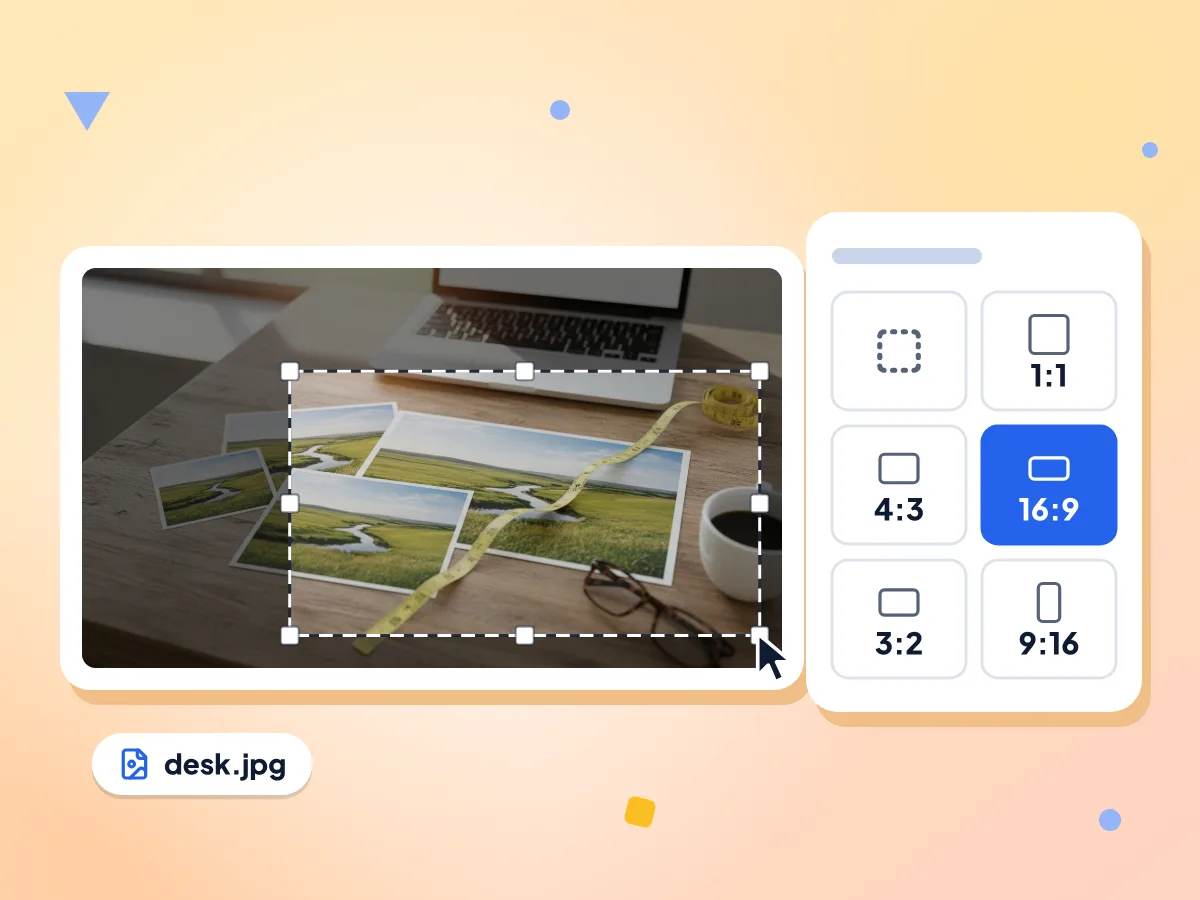
Crop Images to Square, 16:9 or 9:16
Pick 1:1, 4:3, 16:9, 3:2 or 9:16 and the crop box keeps that shape while you drag and resize it. Switching to another ratio clears the box so you can draw it again.
- Free, 1:1, 4:3, 16:9, 3:2 or 9:16
- Locked box keeps its shape while resizing
- Six ratio buttons, Free included
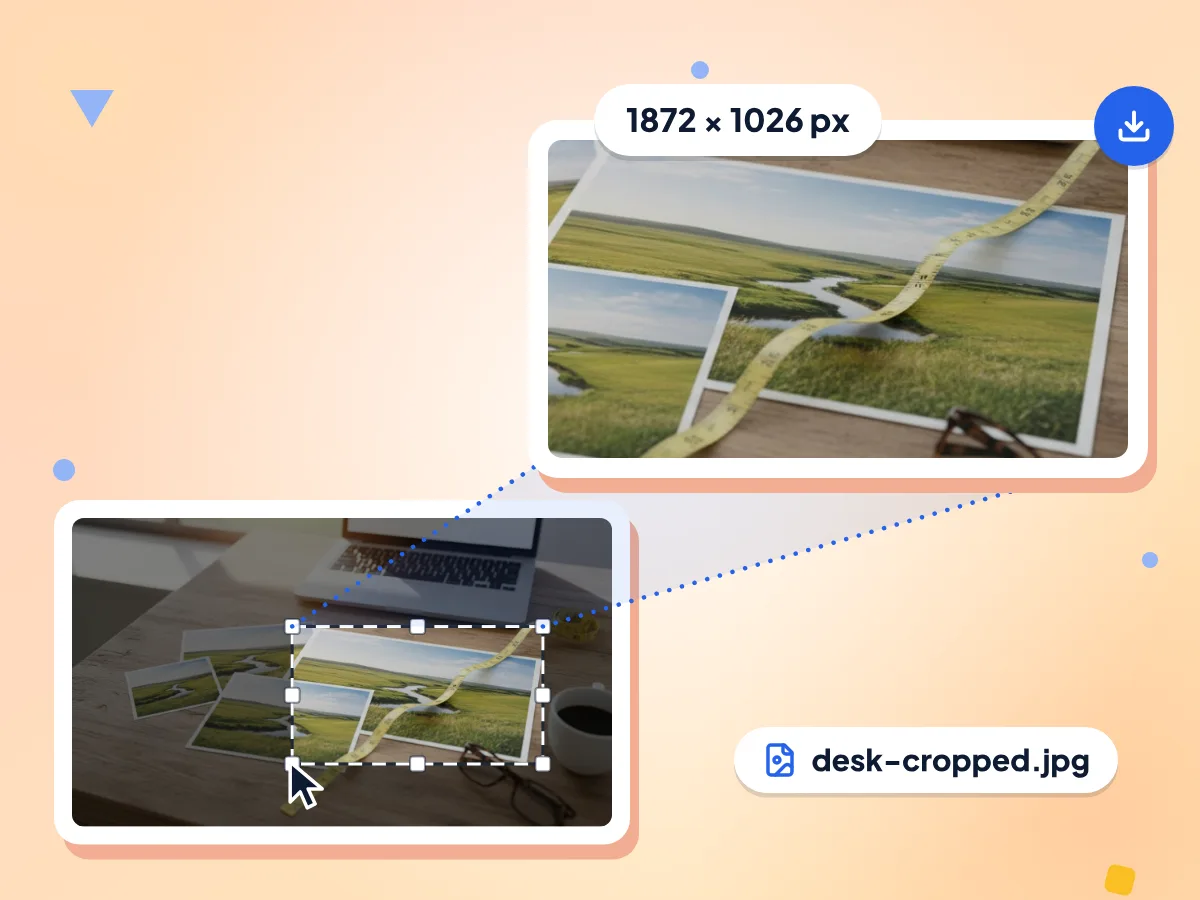
Freeform Image Crop at Full Resolution
Choose Free and drag any box shape across your photo. The crop uses the original pixels. Selection Size measures the preview, so read the real width and height after you click Crop Image.
- Drag the corners or move the box
- Output keeps the photo's own pixels
- Exact output size shown in pixels
Keeps JPG, PNG and WebP
Your crop is saved in the same format you upload: a JPG stays a JPG, and a PNG keeps its transparent areas. JPG and WebP are saved at the highest quality setting.
No Watermark or Sign-Up
Crop as many photos as you like, one at a time. There is no account, no daily limit and no logo added to your image.
Check the Crop Before Saving
Click Crop Image to see the result above the original with its exact size. Not right yet? Move the box and crop again, then click Download.
Your Photo Stays on Your Device
Cropping runs in this browser tab and the file goes straight to your downloads. The page only reports anonymous usage stats, like the ratio you chose and a rough file size.
How to Crop an Image in 3 Steps
Add your image.
Drop one photo on this page or click to choose it. JPG, PNG and WebP open in every browser, and the editor opens right away.
Draw the crop box.
Pick Free or a ratio such as 1:1 or 16:9, then drag across the photo. Pull the corners or move the box until it frames what you want.
Crop and download.
Click Crop Image to see the result and its size in pixels. Then click Download to save it with -cropped added to the file name.
Who Uses the Image Cropper
Pick the ratio your post, shop or print needs, or draw your own box.
Social Media Creators
Crop a photo to the shape each app expects: square posts, tall stories and wide thumbnails. Pick the ratio first, then frame your subject inside the box.
- 1:1 square for Instagram posts and WhatsApp DPs
- 9:16 portrait for Reels, Stories and TikTok
- 16:9 wide for YouTube thumbnails and banners
Online Shops & Product Photos
Trim extra background around a product and crop every shot to the same ratio. A row of 1:1 squares lines up neatly in a product grid.
- Cut away empty space around the product
- Same 1:1 square for every catalog photo
- 4:3 crops for blog posts and product pages
Design & Print
Frame a photo before it goes to print or into a layout. The 3:2 ratio matches a 4x6 inch photo print, and 4:3 fits standard slides.
- 3:2 crops for 4x6 inch photo prints
- Tighter framing for posters and flyers
- Remove distracting edges before you print
Frequently Asked Questions
Answers to the most common questions about cropping images online.
How do I crop an image online for free?
Drop your image on this page and the editor opens. Drag across the photo to draw a crop box, or pick a ratio first. Click Crop Image, check the result, then click Download. It costs nothing and needs no account.
How do I crop an image to a specific aspect ratio?
Pick a ratio in the Aspect Ratio panel before you draw: 1:1, 4:3, 16:9, 3:2 or 9:16. The box then keeps that shape as you drag its corners. For any other shape, such as 4:5, choose Free and draw it by eye.
Can I crop an image to an exact pixel size?
Not by typing numbers. You draw the box by hand, and after you click Crop Image the real width and height show above the cropped preview. To hit an exact size such as 1080 × 1080, crop to the right ratio here, then use the image resizer.
Does cropping an image reduce its quality?
Barely. The crop keeps the original pixels of the area you choose, so a photo 4000 pixels wide cropped in half stays 2000 pixels wide. PNG stays lossless. JPG and WebP are saved again at the highest quality setting, so the file can be larger than you expect.
How do I crop a photo for Instagram?
Pick 1:1 Square for a feed post or 9:16 Portrait for a Story or Reel, then frame your shot and click Crop Image. The 4:5 portrait post shape isn't a preset, so for exact Instagram sizes the social media resizer is a better fit.
What format is the cropped image saved in?
The same format you uploaded, with -cropped added to the file name. JPG and PNG keep their type. GIF, BMP and AVIF files may come out as PNG data under the old extension, so convert those to PNG or JPG first with the image converter.
Will a transparent PNG stay transparent after cropping?
Yes. A PNG keeps its transparent areas, and the editor shows them as a gray checkerboard so you can see the edges. A JPG has no transparency to begin with, so its crop is always solid.
Can I crop multiple images at once?
No, the image cropper handles one photo at a time so you can frame each one by hand. To trim a batch of photos to the same size, the image resizer can fill an exact width and height by cutting off the edges with its Cover fit.
Why is the Crop Image button grayed out?
The button stays off until there is a crop box on the photo. Drag across the image to draw one. Switching to a different ratio also clears the box, so draw it again after you change the ratio.
Why won't my HEIC or TIFF photo open in the cropper?
The cropper can only show images your browser can read. Many browsers can't display HEIC or TIFF, so the photo may show as a broken image. Convert it to JPG first with the HEIC to JPG converter.
Do I need an account, and is there a limit?
No account is needed, and nothing is added to your image, not even a watermark. There is no daily cap and no file size limit in the tool. Very large photos, such as 50-megapixel shots, can be slow on phones with less memory.
Is my photo private when I crop it here?
Yes. The crop is made inside your browser tab and the result is saved straight to your device, so the photo itself is never sent anywhere. The site does record anonymous stats, such as the ratio picked and a size range like 1-5MB.
Explore More Tools
Discover other free tools that work great alongside this one
Image Compressor
Reduce file size without losing quality
Image Resizer
Resize images to exact dimensions
Background Remover
Remove image backgrounds and save a transparent PNG
Image Converter
Convert between 30+ image formats
Image Rotator & Flipper
Rotate images 90°, 180° or 270° and flip them
PNG to WebP
Smaller WebP files, transparency kept