

Free MOV Converter
Convert MOV QuickTime video to MP4, WebM, AVI or MKV to share iPhone and Mac clips with Windows and Android users.
Drop your video files here
MP4, MOV, MKV, WebM and more
Max file size: 1 GB · Multiple files supported
Convert MOV Video in 3 Steps:
Drop your MOV files or click to browse.
Each file can be up to 1 GB.
Each file starts as MOV, so pick MP4, WebM or another format under Output Format.
Press Convert All, then download each file or all of them in one ZIP.
About MOV Format
Apple's multimedia container format that supports various video and audio codecs with high quality.
Advantages
- High quality video
- Professional editing support
- Multiple codec support
- Apple ecosystem integration
Disadvantages
- Large file sizes
- Limited web compatibility
- Apple-centric format
- Less common outside Apple software
Technical Specifications
Best Use Cases
Why Convert MOV Files?
For iPhone and Mac videos that need to play outside Apple's apps
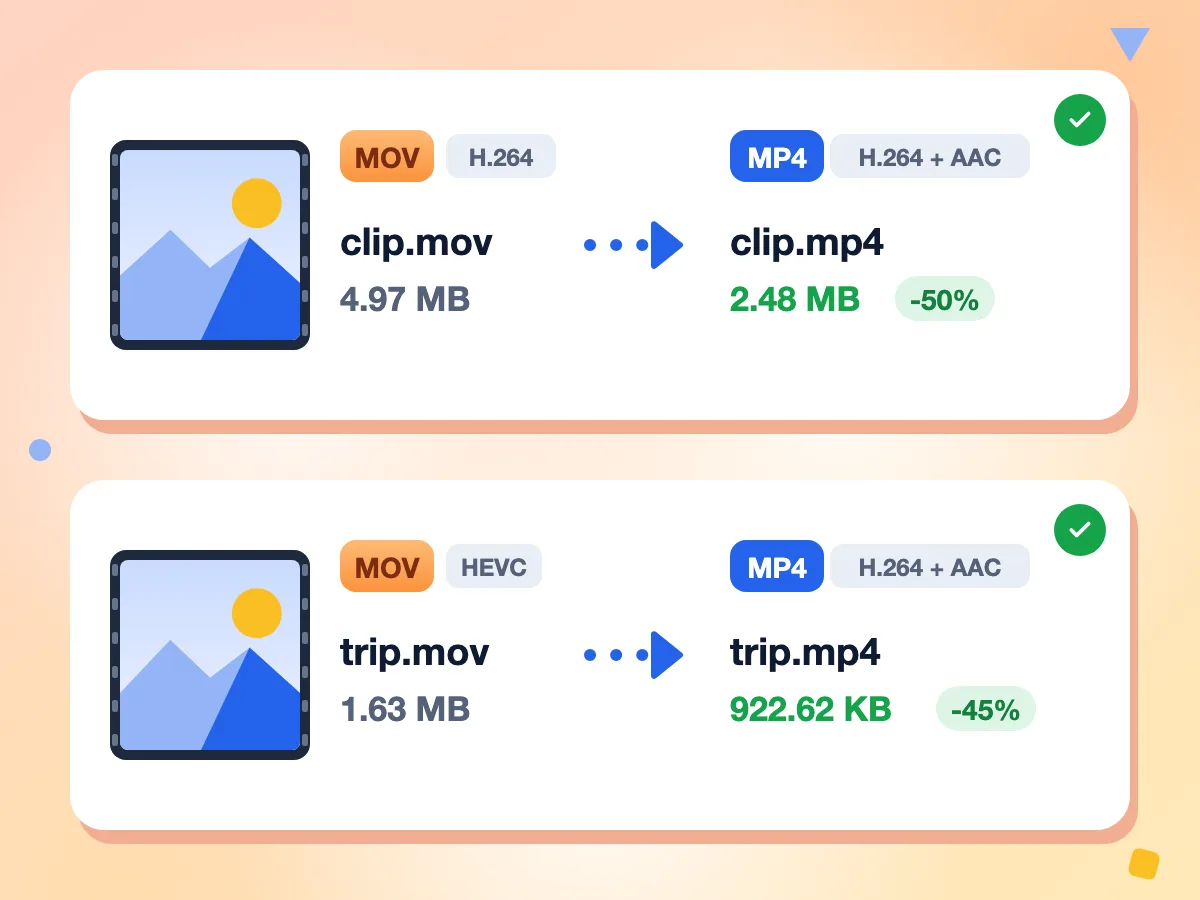
Cross-Platform Video Compatibility
MOV is Apple's video format, and some Android phones, Windows apps and web browsers can't play it. MP4 with H.264 video and AAC audio plays on far more devices.
- Writes H.264 and AAC into MP4
- HEVC and ProRes MOV convert to H.264
- Up to 1 GB per MOV file
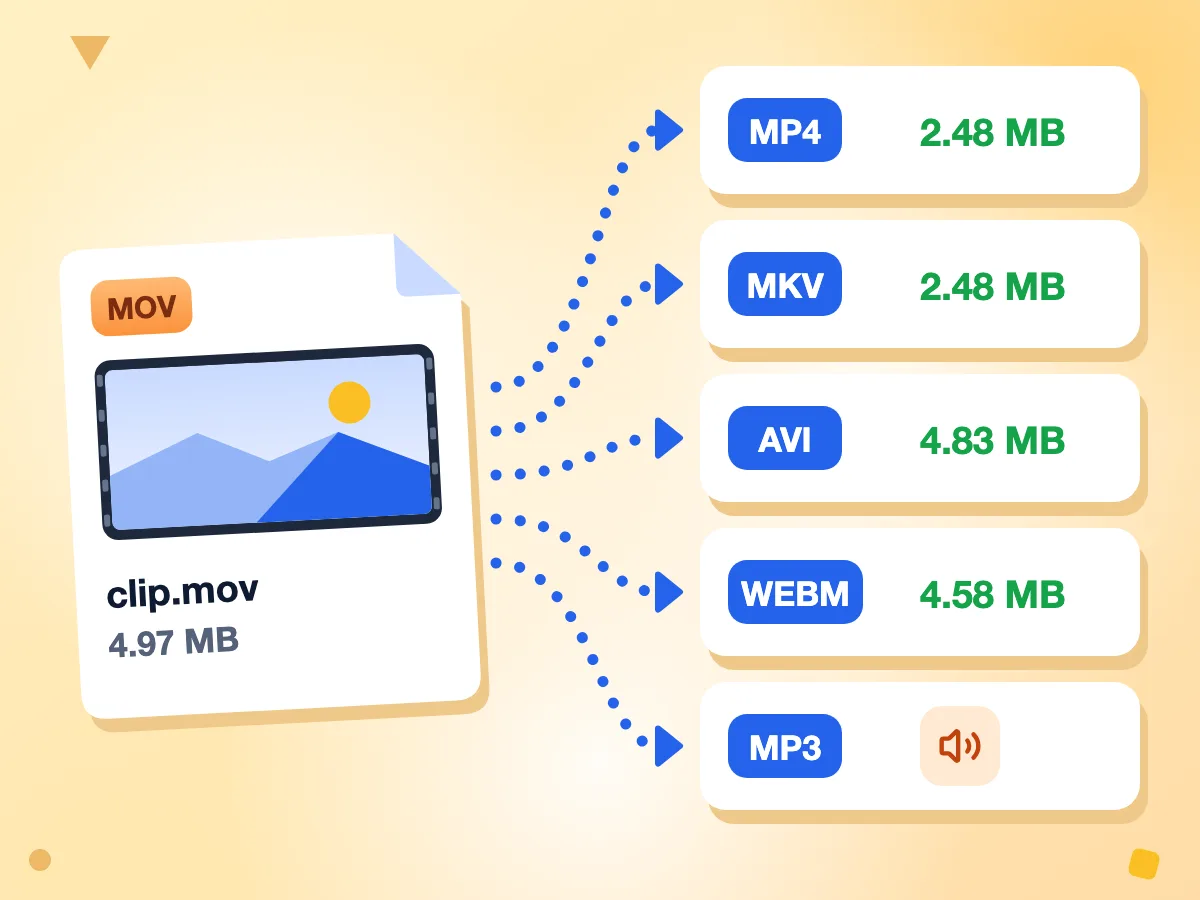
Multiple Output Formats
Convert MOV to MP4 for streaming, WebM for the web, AVI for older software or MKV for a home media server.
- MP4, MKV, AVI and WebM outputs
- Pull the sound out as MP3
- WebM output uses VP8 with Vorbis
HEVC and ProRes to H.264
MOV files from iPhone, Final Cut Pro and iMovie often hold HEVC or ProRes video. The converter re-encodes both to H.264 at a medium quality level. In tests, an HEVC clip came out 45% smaller and a ProRes clip 96% smaller, with some loss of detail.
Batch MOV Conversion
Add many MOV files at once. They convert one after another, and Download All saves them in one ZIP file.
Frequently Asked Questions About MOV Conversion:
Common questions about Apple's QuickTime MOV format and cross-platform video conversion.
Why won't my MOV file play on Windows?
MOV is Apple's QuickTime container format. Windows doesn't include QuickTime support by default, and MOV files from iPhones may use HEVC encoding that Windows Media Player doesn't support. Converting MOV to MP4 with H.264 video avoids both problems.
Is MOV the same quality as MP4?
MOV and MP4 are both containers, and quality depends on the codec inside. An H.264 MOV and an H.264 MP4 can look the same. This converter re-encodes every file to H.264 at a medium quality level, so a ProRes MOV comes out much smaller and loses some detail.
What codec do iPhone MOV files use?
iPhone 7 and later record HEVC (H.265) video in a MOV file. Older iPhones used H.264 in MOV. HEVC files are smaller than H.264 at similar quality, but some Windows and Android devices can't play them.
Can I convert MOV to MP4 without losing quality?
Not with this tool. Every MOV is re-encoded to H.264, even one that already holds H.264, and video has no quality slider. For a sharper result, pick a higher bitrate in the settings.
Can I convert MOV to GIF for social media reactions?
Yes. Pick GIF as the output. The GIF is 480 pixels wide, plays at 15 frames per second and loops forever. GIFs use only 256 colors and are often larger than MP4, so keep clips short.
Are my MOV files safe during conversion?
Yes. The conversion runs in your browser, and your videos stay on your device. They are never uploaded to our servers.
What are the technical specifications of MOV?
QuickTime Movie (MOV) uses variable compression with excellent quality output. It does not support transparency and supports animation. Typical file sizes are large.
When should I use MOV format?
When working with Apple devices or need highest quality video editing. Best use cases include professional video editing, apple device content, high-quality archival. For web streaming or when universal compatibility is required.
What are the advantages of MOV over other formats?
Key advantages of MOV: High quality video. Professional editing support. Multiple codec support. Apple ecosystem integration. However, keep in mind: large file sizes, limited web compatibility.
Who Converts MOV Video Files?
iPhone & Mac Video Creators:
- Convert iPhone MOV recordings to MP4 for uploading to YouTube, Instagram, and TikTok
- Convert Final Cut Pro MOV exports to MP4 for sharing with clients who use Windows
- Convert MOV screen recordings from QuickTime Player to MP4 for tutorial publishing
Video Editors & Filmmakers:
- Convert MOV ProRes footage to MP4 for web delivery while keeping ProRes masters for editing
- Convert MOV HEVC files from newer iPhones to H.264 MP4 for compatibility with older editing software
- Convert MOV files from DJI drones to MP4 for client deliverables
- Convert 60 fps MOV clips to 30 fps MP4 to match the rest of an edit
Business & Education:
- Convert MOV webinar recordings to MP4 for a course platform that only accepts MP4
- Convert MOV presentations recorded on Mac to MP4 for Windows-based corporate systems
- Convert iPhone MOV videos to WebM for embedding in web presentations and online courses
- Convert MOV training videos to MP4 so they play in Windows Media Player and other office tools
Explore More Tools
Discover other free tools that work great alongside this one
Video Trimmer
Trim and cut video clips in browser
Video Converter
Convert videos between popular formats
MP4 to GIF
Create animated GIFs from video clips
MP4 to MP3
Extract audio from video files